
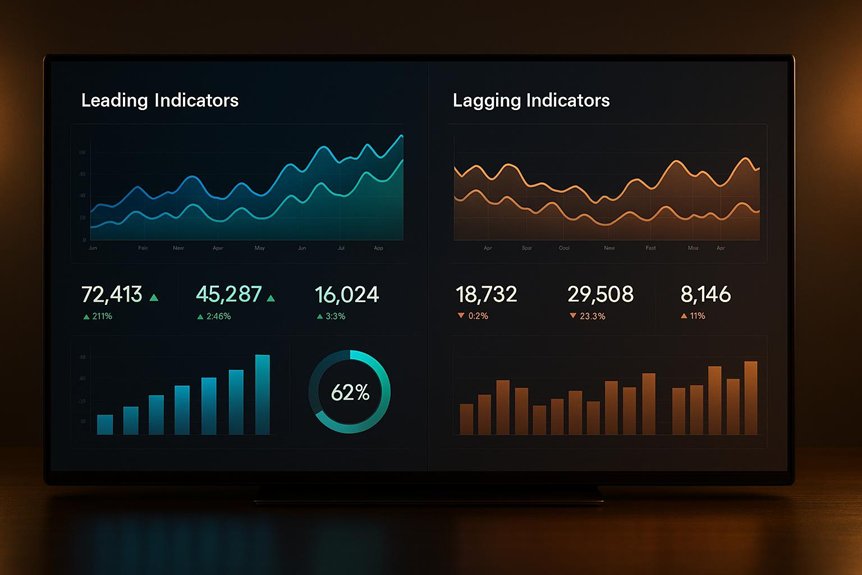
When you build an executive dashboard, you should balance leading indicators that predict outcomes with lagging indicators that confirm results, so you can act early and validate impact later. Start by clarifying strategic goals, then select a few high-signal metrics—such as onboarding completion, active usage, MRR, and NRR—that map to them. Use clear visualizations, real-time alerts, and drill-downs to cut noise and enforce accountability, because the next step determines whether signals translate into results.
Key Takeaways
- Pair leading indicators (e.g., activation, engagement) with lagging outcomes (e.g., MRR, NRR) to connect actions to results.
- Prioritize mission-critical KPIs at the top; group related leading and lagging metrics under clear headings.
- Use appropriate charts: lines for trends, bars for comparisons, bullets for progress, with restrained colors and minimal clutter.
- Enable real-time tracking and alerts for leading indicators, with drill-downs to diagnose movements and validate against lagging results.
- Set governance: owners, review cadences, and feedback loops to refine metrics and improve decision-making effectiveness.
What Is a KPI Dashboard and Why It Matters
A KPI dashboard is a visual command center that consolidates your most important business metrics into a single, real-time snapshot, letting you track strategic objectives without digging through scattered reports.
You use it as a high-level report card, seeing performance at a glance so you can act quickly when numbers shift. It centralizes critical success metrics, improving clarity, focus, and decision speed, since you’re not reconciling conflicting spreadsheets or waiting for ad hoc updates.
By automating data collection and reporting, you reduce manual work, cut errors, and free time for analysis.
With continuous visibility, you promote accountability across teams because targets, trends, and gaps are transparent. You also spot emerging opportunities and risks sooner, enabling better forecasting, planning, and more confident executive judgment.
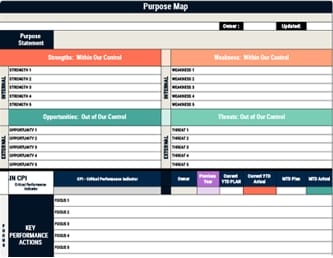
To avoid measurement overload and ensure the dashboard drives action, anchor it to a few Critical Performance Indicators and link supporting KPIs and daily KPAs to them.
Defining Leading and Lagging Indicators
Compass and odometer: that’s the practical difference between leading and lagging indicators.
You use leading indicators to forecast where performance is headed, because they capture activities and early signals you can still influence. Metrics like app engagement, activation rates, and onboarding completion hint at future revenue, churn, or growth, letting you adjust tactics before results lock in.
Lagging indicators, by contrast, tell you what already happened, offering certainty about outcomes but no chance to change them. MRR, NRR, and ARPU confirm the financial impact of earlier actions and validate whether your bets paid off.
You get the strongest view when you link both. Map controllable behaviors to eventual results, monitor movement in the predictors, and verify outcomes with retrospectives, ensuring timely course corrections and confident accountability.
As a practical example, companies like Tesla and Spotify show that tying leading user engagement metrics to lagging outcomes through strategic alignment and regular reviews strengthens execution and validates results.
Choosing the Right KPIs for Executive Decision-Making
While you can track countless numbers, executives need a concise set of KPIs that directly serve strategy and enable clear decisions.
Start by aligning metrics to top objectives—revenue growth, profitability, and customer satisfaction—so every number answers a strategic question. Link each KPI to a specific initiative and outcome, ensuring you know what lever to pull when trends shift.
Balance leading indicators, like customer engagement and pipeline velocity, with lagging indicators, such as net revenue retention and margin, to see both where you’re headed and what you’ve achieved. Engage stakeholders to confirm information needs, then review and refine regularly, pruning anything that doesn’t drive action. Add governance rhythms for visibility and accountability with aligned OKRs that connect KPIs to day-to-day execution.
- Define the decision each KPI informs and its owner.
- Pair leading and lagging metrics for context.
- Set thresholds, targets, and review cadences.
Mapping Leading Indicators to Strategic Outcomes
Because leading indicators only matter if they reliably foreshadow your goals, start by explicitly linking each metric to a strategic outcome through a clear causal chain that spans customer behaviors, operational actions, and financial results.
Define the outcome first, then trace backward to the controllable activity. For revenue growth, connect app engagement, session duration, and activation rates to conversion and retention, specifying thresholds that historically correlate with lift.
Start with the outcome, then map controllable behaviors to conversion, retention, and revenue via proven engagement thresholds.
Document the chain: push notification optimization drives session starts, deeper sessions increase feature adoption, adoption raises trial-to-paid conversions, and conversions expand revenue.
Create metric definitions, owners, and targets so teams know what to influence daily. Use real-time dashboards to watch variance and act quickly, and review predictive strength regularly, replacing weak indicators with stronger, more actionable measures.
To accelerate action and clarity, incorporate color-coded indicators like green for normalcy and red for problems on your dashboard to enable rapid issue identification aligned with visual management boards.
Aligning Leading and Lagging Indicators for Cohesion
With your causal chains mapped, shift to ensuring those leading indicators line up with the lagging results you actually report and manage, so every input you track has a visible fingerprint on outcomes like revenue, margin, or retention.
You’ll create cohesion by confirming each engagement, quality, or cycle-time metric correlates to a result you care about, then monitoring that relationship over time. When a leading metric moves and the lagging one doesn’t, you’ve found a mismatch to fix.
Aligned organizations can grow revenue 58% faster and be 72% more profitable, so validating these links strengthens both vertical and horizontal alignment by tying inputs to strategic goals.
1) Select few, proven signals: pick leading indicators with strong historical correlation to revenue growth, margin expansion, or retention, and drop weak proxies.
2) Quantify links: define elasticities or thresholds that translate input shifts into output changes, enabling realistic forecasts.
3) Review and recalibrate: run periodic backtests, examine drift, and adjust targets or tactics to stay aligned with goals.
Designing an Executive-Friendly Dashboard Layout
How do you design a dashboard executives can scan in seconds yet trust for decisions that shape the quarter?
Start with a clean, uncluttered canvas, removing decorative elements and limiting widgets to high-priority metrics so attention isn’t diluted.
Group related indicators under clear headings—Revenue Health, Pipeline Momentum, Customer Outcomes—so users can scan top to bottom and grasp relationships quickly.
Apply visual hierarchy intentionally: place mission-critical KPIs in the upper-left, use larger tiles for targets and variances, and reserve restrained color contrasts to call out risk or achievement.
Label everything precisely, including timeframes and definitions, so no one questions what a metric represents.
Offer customizable views and filters by role, region, and time horizon, enabling each executive to isolate what matters without rebuilding the layout.
Augment the dashboard with concise metrics dashboards that display key performance indicators in real time to enhance transparency, speed issue response, and support continuous improvement.
Data Visualizations That Clarify Signal vs. Noise
You’ve set the layout for quick executive scanning; now make the visuals carry their weight by isolating signal from noise using simple, purpose-fit charts.
Choose line charts for trends, bar charts for comparisons, and bullet charts for progress to target, avoiding dense heatmaps or decorative elements that slow comprehension.
Use simple, purpose-fit charts: lines for trends, bars for comparisons, bullets for progress—skip decorative clutter.
Apply a clear visual hierarchy—large, high-contrast primary metrics on top, supporting detail below—so eyes land on what matters first. Use restrained color: neutral for context, green for positive movement, red for risk, reserving bright accents only for exceptions.
- Reduce clutter by removing gridlines, 3D effects, and unnecessary labels, while using concise titles that state the takeaway.
- Encode targets and thresholds with bands, reference lines, and sparklines to reveal trajectory.
- Group leading indicators before lagging ones to guide decisions.
To reinforce decision-making and organizational clarity, align dashboard metrics with strategic alignment frameworks like OKRs to ensure visuals reflect enterprise objectives and priorities.
Implementing Real-Time Tracking and Drill-Downs
Even as your visuals clarify signal from noise, implement real-time tracking so executives see leading indicators update continuously, not at the mercy of weekly or monthly cycles. Stream live data for core KPIs—conversion rate, qualified pipeline, net retention risk—so you can spot directional shifts early and adjust tactics before lagging results materialize. Use alert thresholds to surface unusual movements, but keep context nearby with recent baselines and targets. Pair real-time tiles with drill-downs that let leaders explore the data behind spikes or dips, moving from aggregate metrics to segments, channels, cohorts, and time slices. Enable click-through to campaign, region, or product views, so you can trace performance drivers and isolate initiative impact. Show linked lagging outcomes alongside leading inputs to validate assumptions and speed decisions. To reinforce accountability and transparency, layer these views into Visual Management Boards that consolidate KPIs, support regular reviews, and drive timely course-corrections aligned to strategic goals.
Launch Plan, Adoption Tactics, and Governance
With real-time tiles and drill-downs in place, shift focus to how you’ll launch, drive adoption, and govern the dashboard so executives actually use it to steer outcomes. Strengthen engagement by aligning dashboard KPIs with the organization’s strategic objectives, ensuring leaders see clear connections between metrics, goals, and decision-making.
Start with a formal reveal, using live demos or webinars to walk leaders through leading and lagging indicators, key workflows, and example decisions, so they see immediate value and know where to click.
1) Launch plan: Schedule a 30–45 minute demo, provide a concise quick-start guide, and highlight 3–5 critical questions the dashboard answers, tying each to a strategic objective.
2) Adoption tactics: Build role-based views and filters, set bookmarks for common comparisons, and surface tooltips that define KPIs in plain language.
3) Governance: Establish quarterly KPI reviews, define owners for each metric, and use structured feedback via surveys or brief follow-ups to refine relevance.
Monitoring Usage and Iterating for Continuous Improvement
Although the launch establishes initial momentum, sustained value comes from rigorously monitoring how executives use the dashboard and iterating based on what you learn. Track views, time on page, and session frequency, then correlate these metrics with the cadence of data-driven decisions to gauge engagement and effectiveness. When engagement dips, act quickly, since low usage often signals misaligned content, unclear visuals, or friction in navigation. Collect structured feedback through brief surveys and targeted follow-ups, asking what’s missing, what’s confusing, and what decisions the dashboard enables or hinders. Use these inputs to refine leading and lagging indicators, adjust layouts, and simplify interactions. Test variations of visual hierarchy, grouping, and labeling, compare outcomes, and institutionalize a quarterly review cycle to maintain alignment with strategic goals. To sustain improvement and drive operational excellence, incorporate Six Sigma DMAIC into your iteration cycle to systematically define issues, measure usage, analyze root causes, improve designs, and control for long-term effectiveness.
Frequently Asked Questions
How Do We Set Alert Thresholds for Early Risk Detection?
Set thresholds by baselining normal ranges, then flag deviations using statistically grounded bands.
Start with control limits (mean ±2–3 standard deviations) or percent changes versus baseline, and tighten for critical metrics.
Incorporate leading indicators with earlier, lower thresholds, and lagging ones with higher, confirmatory levels.
Use multi-tier alerts (advisory, warning, critical), apply persistence rules to avoid noise, and backtest thresholds against historical incidents, refining with stakeholder input and periodic recalibration.
What Data Quality Checks Prevent Misleading Indicator Movements?
Use schema validation, referential integrity checks, and required-field enforcement to block bad records. Then apply range, type, and regex checks to catch outliers and format issues.
Add deduplication and timestamp sanity checks to prevent double-counting and stale data. Implement drift and distribution monitoring to spot sudden shifts, and reconciliation against source-of-truth systems.
Finally, track data lineage, audit load completeness, and set automated quarantine rules so dirty inputs can’t skew indicators.
How Should We Budget for Dashboard Tooling and Maintenance?
Budget 60% for licensing and core platform, 20% for integration and data pipelines, 10% for security and governance, and 10% for training and support; think of it like buying a steam-powered smartphone.
Include a 15% contingency for scale and new metrics, and plan multi-year renewals.
Fund quarterly maintenance sprints for upgrades, performance tuning, and access reviews, and assign ownership, SLAs, and KPIs so you can track uptime, query latency, user adoption, and cost-per-user.
Who Owns Indicator Definitions Across Cross-Functional Teams?
You should assign ownership to a centralized data governance group, while giving domain stewards in each function custodial responsibility.
The governance group defines standards, approval workflows, and version control; domain stewards propose changes, validate definitions, and guarantee operational alignment.
Establish a single glossary, data contracts, and decision rights, then use a change advisory board to resolve conflicts.
Track lineage, document calculation logic, and audit usage, so indicators stay consistent, trustworthy, and adaptable.
How Do We Handle Indicator Conflicts During Board Reporting?
Resolve conflicts by establishing a single source of truth, then document exceptions.
You define a priority rule: GAAP beats non-GAAP, audited data beats provisional, corporate calendar beats regional.
You run a pre-board reconciliation: compare definitions, align timeframes, and log deltas with root causes.
You maintain an arbitration cadence with data governance, require versioned metric specs, and tag dashboards with “authoritative” badges.
During reporting, show the reconciled number first, then disclose variances and implications.
Conclusion
You’re ready to design a dashboard that actually guides decisions, not just reports them, by pairing leading indicators that predict movement with lagging metrics that confirm outcomes. Map each leading signal to a strategic goal, align it with a validating lagging KPI, and visualize both clearly, then enable real-time tracking and drill-downs for context. Now implement governance and adoption tactics, monitor usage, iterate ruthlessly—because the next decision’s impact is already forming, and your dashboard will show it first.