
If you want faster responses, fewer defects, and safer work areas, you need a visual management system that makes status, standards, and expectations instantly clear at the point of use. You’ll align visuals with priorities through OKRs, apply tools like Kanban, Andon, 5S, and visual controls, and embed standard work with real-time signals. We’ll cover step-by-step implementation, ERP/MES integration, metrics that matter, and pitfalls to avoid—so you can spot issues before they become costly.
Key Takeaways
- Visual management makes status, standards, and abnormalities instantly visible at the point of use to enable rapid, correct action.
- Start with 5S, Kanban, and Andon to organize, limit WIP, expose bottlenecks, and trigger immediate problem containment.
- Align boards and dashboards to OKRs, tying daily metrics to enterprise priorities with clear owners and review cadences.
- Integrate ERP/MES for real-time digital Kanban, SQDCP boards, and mobile alerts to standardize visibility across sites.
- Pilot in one area, involve operators, track KPIs daily, and iterate to avoid stale data, manual entry, and tool sprawl.
Purpose and Rationale of Visual Management
Why do visual management systems matter on a manufacturing floor? You need timely, clear information where work happens, not delayed reports, so you can act fast and prevent problems from spreading. By converting status, standards, and expectations into visible cues, you reduce miscommunication and guide behavior without meetings or guesswork, which makes decisions faster and more consistent across shifts. Use visuals to surface abnormalities immediately, such as out-of-tolerance readings or blocked flow, so you can trigger countermeasures at the source. Design boards, kanban signals, and andon alerts to show what to do, when to do it, and who owns it, which aligns with lean principles and reinforces standard work. Apply the same logic beyond manufacturing, making performance and responsibilities transparent across teams. This visibility also strengthens organizational alignment by clarifying shared goals and roles, improving communication and enabling faster, more coordinated responses across departments.
Core Benefits for Safety, Quality, and Productivity
Consistently, visual management delivers tangible gains in safety, quality, and productivity by turning critical information into clear, real-time cues where work happens. You reduce risk when hazards, safe zones, and abnormal conditions are unmistakable, since operators can spot issues instantly and take corrective action before incidents escalate.
You lift quality by standardizing work visually, exposing defects at the source, and locking in adherence to specifications, which cuts rework and variability. You boost productivity when boards, signals, and labels tell people what to do, when, and how, shrinking downtime and speeding decisions.
Visual dashboards and Kanban boards balance workload and material flow, curbing overproduction and waiting. Finally, real-time visual metrics reveal performance gaps, direct root-cause analysis, and sustain continuous improvement across shifts. To reinforce rapid comprehension and action, apply the 1-3-10 rule so teams can recognize status in one second, pinpoint issues in three, and know required actions within ten.
Key Principles and Foundational Concepts
Building on the gains in safety, quality, and productivity, the foundation of visual management rests on making information instantly readable where work happens so people can prevent abnormalities before they grow. You rely on the brain’s rapid visual processing to surface status, standards, and gaps in real time, which speeds decisions and increases accuracy on the floor. Principles center on visibility, simplicity, and actionability: show only what matters, in context, with clear signals tied to standard responses. Visual management tools like Kanban boards and Andon systems provide real-time feedback and visibility that streamline processes, minimize waste, and enable quicker responses to issues.
Anchor your implementation with discipline: define goals, select fit-for-purpose methods, design unambiguous visuals, position them at the point of use, and track effectiveness with real-time KPIs. Involve employees who use the information, provide targeted training, and integrate routines into your continuous improvement system to sustain learning, problem-solving, and waste reduction.
Essential Tools: Kanban, Andon, 5S, and Visual Controls
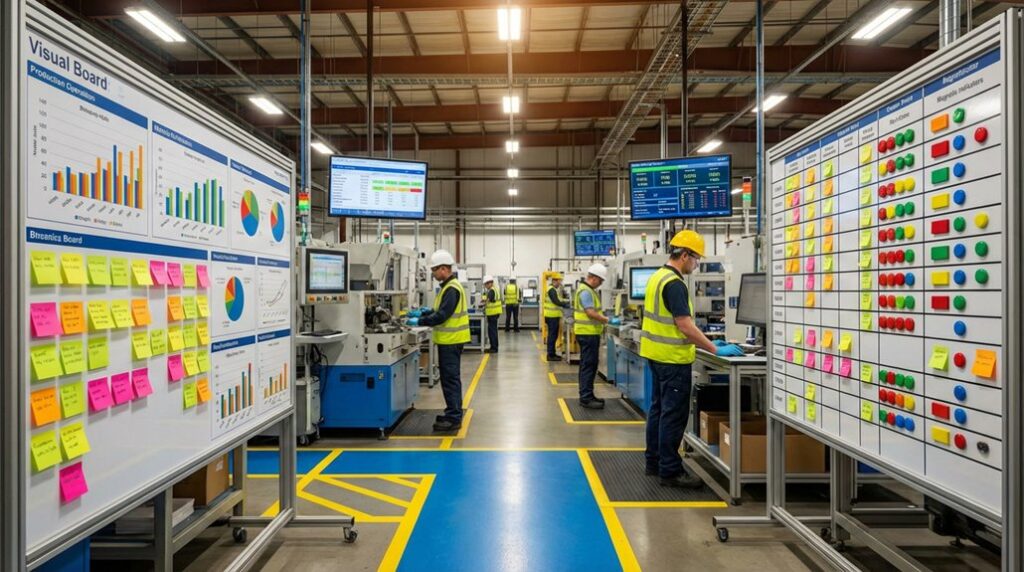
A practical visual management system relies on a small set of proven tools that make status, standards, and next actions unmistakable at the point of work. Start with Kanban boards, where you visualize work as cards moving through process-stage columns, then control flow by limiting work-in-progress, exposing bottlenecks, and triggering demand-driven replenishment.
Deploy Andon signals—lights or alerts—to call out defects or abnormal conditions immediately, so you can stop, contain, and begin structured problem-solving without delay.
Apply 5S to organize tools and materials using labels, floor markings, and shadow boards, which reduces motion, prevents mix-ups, and sustains a clean, standardized environment.
Add visual controls—color coding, arrows, and status indicators—to show flow direction and safety information, while visual work instructions cut training time and errors.
To sustain these practices, integrate mobile-first communication and feedback loops so frontline teams can report issues in real time, reinforcing trust and accountability through regular tracking of engagement metrics.
Standard Work and Real-Time Problem Signaling
With Kanban, Andon, 5S, and visual controls in place, you now turn those tools into daily discipline by defining standard work and establishing real-time problem signaling at the point of use. Create clear, step-by-step instructions that combine text, images, and checklists so operators see the correct method, sequence, and checkpoints without guessing. Reinforce these instructions with color-coded guides, floor markings, and point-of-use labels that make the expected workflow obvious and deviations visible.
Integrate 5S to keep tools fixed, parts located, and work areas labeled, which stabilizes conditions and reduces variation. Build Andon into the standard work: when a deviation occurs, signal immediately, pause the process, and contain the issue. Use simple visual cues to trigger root-cause checks, correct the condition, and restore standard work before quality or delivery suffers. To ensure these visuals drive outcomes, tie them into a daily management system with standard work for reviews and problem-solving so performance is managed proactively, not just monitored.
Lean Alignment: Reducing Waste With Visual Systems
Why anchor Lean alignment in visual systems? You reduce waste faster when abnormalities, delays, and process variances become visible at a glance, allowing immediate containment and correction before defects spread. Use Andon, Kanban, and visual dashboards to align production with actual demand, which curbs overproduction, exposes bottlenecks in real time, and cuts waiting by pacing work to flow. Apply 5S-inspired cues—floor markings, shadow boards, and color codes—to standardize layouts and tools, lowering motion waste, setup friction, and error risks. Track real-time visual KPIs for quality, delivery, and safety, so teams spot trends quickly, shorten cycle times, and prevent recurring defects. Treat visual management as a Lean toolkit that supports just-in-time flow, trims inventory, and boosts problem-solving throughput on the shop floor. Incorporate clear, color-coded indicators like green for normal and red for issues on performance dashboards to streamline communication and trigger quick, actionable responses.
Implementing Visual Management: Step-by-Step
Building on Lean alignment’s focus on making problems visible, start implementation by defining what success looks like in measurable terms, then pick visual tools that directly support those outcomes. Translate goals into a small set of KPIs, set targets and update frequencies, and choose boards, andon lights, or digital dashboards that surface status at a glance. Design visuals for clarity and brevity, use consistent colors and symbols, and place them where the right people can easily see them.
Involve operators and team leads in creating and testing the visuals, because their input ensures relevance and ownership. Explain the purpose, benefits, and expectations during rollout to build buy-in. Launch a pilot on one area, measure results, gather feedback, and refine. Monitor real-time KPIs, review daily, and adjust visuals to sustain improvement.
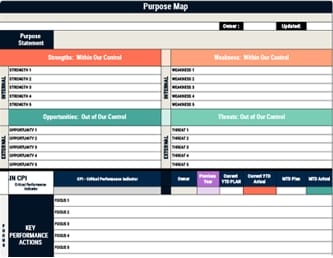
To connect daily visuals with enterprise priorities, align boards and dashboards to OKRs and establish governance rhythms for regular progress reviews.
Common Pitfalls and How to Avoid Them
Although visual management promises faster decisions and clearer accountability, several predictable pitfalls can derail results unless you plan for them up front. Don’t pick a BI tool that isn’t connected to your information system, because you’ll slow decisions and risk stale or inaccurate floor data. Avoid inflexible or isolated systems that force manual entry, since they create errors and destroy real-time visibility. Be cautious with free tools; limited features, weak support, and poor scalability usually surface under load.
Involve frontline employees early, using pilots and feedback loops, so the boards reflect real work, improve usability, and boost adoption. Map visuals to existing workflows, define owners and update cadences, and standardize data definitions to prevent silos. Finally, test end‑to‑end data flow before rollout and monitor accuracy continuously. To sustain alignment and adoption, translate strategic goals into clear objectives and measurable KPIs using OKRs, and review progress routinely to catch misalignments early.
Digital Integration With Erp/Mes and Connected Worker Platforms
How do you turn static production boards into a living system that steers decisions in real time? You integrate your visual management with ERP and MES, so inventory, schedules, and quality metrics update instantly across systems, eliminating stale data and manual re-entry. Use advanced visual tools—digital Kanban, SQDCP boards, and role-based dashboards—that pull from ERP/MES to show end-to-end status from order entry to delivery, improving traceability and compliance. Connect worker platforms to surface live KPIs on mobile devices and wearables, so operators see deviations immediately and act faster at the line. Leverage cloud-based visual management to standardize dashboards, alerts, and standard work across sites, while maintaining centralized governance. Ensure real-time ERP/MES connectivity to reduce batch handoffs and align plans with materials and demand. Add numeric KPIs during planning so dashboards and boards measure what matters and enable timely adjustments through transparent reporting.
Measuring Impact and Sustaining Continuous Improvement
With ERP/MES-connected visuals now feeding real-time data to your boards and dashboards, you need a disciplined way to measure impact and keep improvements sticking. Start by defining clear KPI targets across SQDCP—safety, quality, delivery, cost, and people—and set baselines so you can compare weekly and monthly results. Use PDCA rigor: plan changes, do small pilots, check results against visible metrics, and act by standardizing what works or adjusting what doesn’t. Involve operators, supervisors, and support teams in daily reviews to surface issues quickly and drive immediate problem solving at the gemba. Embed weekly reviews that reinforce clear expectations and accountability so improvements align with organizational objectives and sustain over time. Digitize wherever possible—digital Kanban and SQDCP boards improve data accuracy, cross-site comparability, and speed. Finally, invest in training and change management, ensuring everyone understands the visuals, updates them correctly, and sustains adopted practices.
Frequently Asked Questions
How Do We Budget and Forecast Costs for Visual Management Over Time?
Build a rolling budget by separating upfront design and hardware from recurring costs like maintenance, replacements, and software. Estimate volumes, unit prices, and installation labor, then add contingencies, typically 10–15%. Forecast usage-based wear, depreciation schedules, and training refresh cycles, and align them with production plans. Track KPIs, variance, and supplier lead times monthly, adjust assumptions quarterly, and model scenarios for growth, inflation, and failures, ensuring purchase timing matches cash flow and ROI targets.
What Change Management Tactics Improve Frontline Adoption and Engagement?
Start with absurdly clear “why” and benefits, then recruit respected peer champions to model behaviors and coach. Co-design workflows with operators, run tiny pilots, and iterate fast based on visible metrics. Train in short, hands-on bursts at shift start, and provide simple job aids. Tie adoption to daily huddles, recognition, and problem-solving. Remove friction by fixing legacy barriers, set explicit standards, audit lightly, and give real-time feedback and quick wins.
How Should Union Agreements Influence Visual Management Design and Rollout?
You should align boards, metrics, and workflows with contract terms, ensuring no data exposes protected information, alters job scope, or enables de facto surveillance beyond agreed rules. Involve union reps early, co-design standards and escalation paths, and document how visuals support safety, skill boundaries, and fair workload distribution. Provide training within paid time, respect seniority-based roles in ownership and updates, pilot in union-approved areas, and incorporate grievance feedback into change control and audits.
How Do We Handle Multilingual and Color-Vision Accessibility in Visuals?
Worried it’s too hard? You can handle it by pairing simple icons with short, plain-language labels in multiple languages, chosen from a worker survey, and verified by native speakers. Use high-contrast palettes, patterns, and shapes so color isn’t the only cue, and test designs with common color-vision simulators. Standardize pictograms, place bilingual legends near visuals, and train teams with quick reference cards, then audit comprehension on the floor and iterate quickly.
What Cybersecurity Considerations Exist for Digital Visual Boards and Displays?
You must secure endpoints and networks, enforce strong authentication, and minimize data exposure on digital boards. Use TLS, signed firmware, and regular patching, while disabling unused services and ports. Segment displays on a VLAN, apply least‑privilege access, and log all admin actions. Encrypt at rest if boards store data, set screen timeouts, and lock USB ports. Validate content sources, use allowlists, monitor with SIEM alerts, and rehearse incident response and rollback.
Conclusion
You can treat visual management like tuning a car’s dashboard: when one plant added Andon lights and digital boards, response time to line stops fell 40%, and defects dropped as alerts guided standard work. Start small with 5S and Kanban, link visuals to OKRs, and review daily at the gemba to sustain gains. Integrate ERP/MES data for real-time status, define clear owners, and run PDCA cycles so every signal prompts swift action, measurable learning, and safer, higher-quality output.